The story starts with the typewriter
Early writing machines tried many different shapes and mechanisms. The breakthrough was not one person suddenly inventing the modern keyboard, but a series of designs that made typing practical enough to manufacture and use at scale.
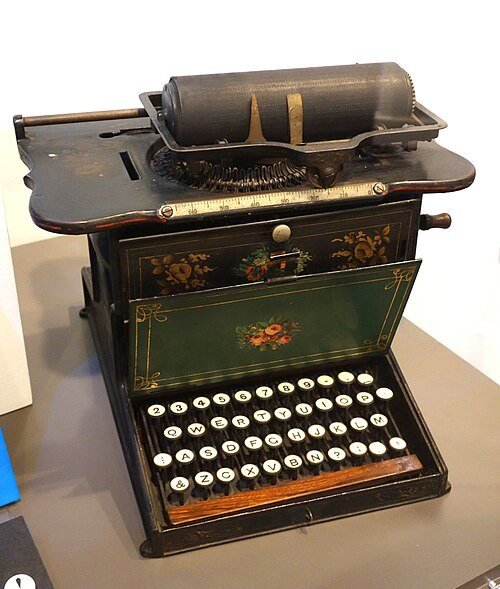
Christopher Latham Sholes, Carlos Glidden and Samuel Soule patented an early type-writing machine in 1868. Remington later manufactured the Sholes and Glidden Type Writer, which reached the market in the 1870s and became the first commercially successful typewriter. Its keyboard helped establish the QWERTY letter arrangement that still dominates English-language keyboards.
QWERTY survived, but its origin is not a simple story
QWERTY is named after the first six letter keys on its upper row. Sholes and his collaborators tried different arrangements while developing their machines, and a recognisable QWERTY layout appears in an 1878 Sholes patent.
You may have heard that QWERTY was deliberately designed simply to slow typists down. The evidence is not that tidy.
Historians have proposed explanations involving the mechanical behaviour of early type bars and the needs of telegraph operators, and the precise motive remains debated. What is clear is that Remington machines helped QWERTY spread. Widespread training and use then made the layout difficult to displace.
The Remington No. 2, introduced in 1878, also helped establish another lasting idea: a Shift key that allowed the same keyboard to produce upper- and lower-case letters.
Teleprinters helped turn typing into computer input
Long before most people had a computer on a desk, teleprinters were sending typed text over communication networks. Because they already combined a keyboard with electrical signalling, they became a natural way to communicate with early computers.
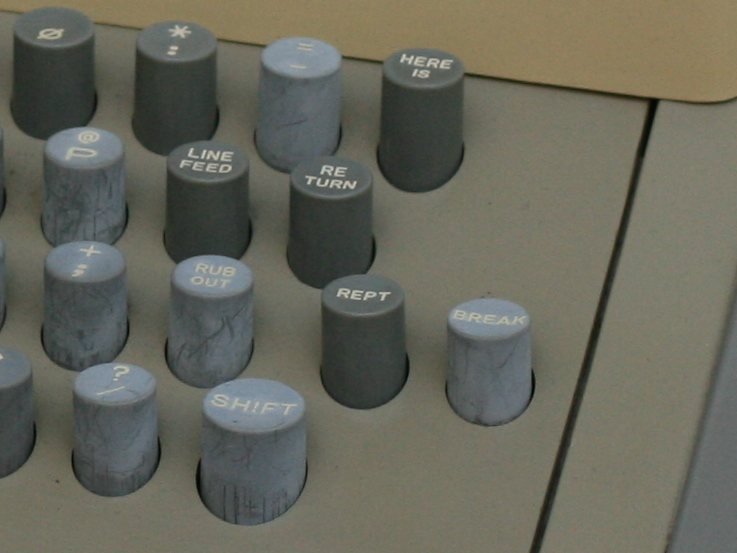
In 1940, George Stibitz demonstrated remote access to a Bell Labs calculator using a Teletype terminal over telephone lines. By the 1960s and 1970s, machines such as the ASR-33 Teletype were widely used as relatively inexpensive input and output terminals for minicomputers and early microcomputers.
This was an important change in what a keyboard was for. A key press no longer had to move a type bar onto paper. It could send an electrical code to a computer instead.
Screens replaced paper, and the keyboard became a computer control surface
Computer users did not always type directly into a machine. Early systems often relied on punched cards or paper tape. In the 1950s, researchers at MIT showed that direct keyboard input could be a much more convenient way to work with a computer.
As video terminals spread in the late 1960s and 1970s, the familiar combination of keyboard and screen became normal. The keyboard also gained keys that had no typewriter equivalent: function keys, control keys and commands for moving around a screen or interacting with software.
That is why a computer keyboard is more than an electronic typewriter. The letter area carries its typewriter ancestry, while the extra keys grew from the needs of interactive computing.
Personal computers made the modern layout familiar
Home and office microcomputers of the 1970s and early 1980s used many different keyboard layouts. The market began to settle as successful personal-computer platforms were copied and standardised.
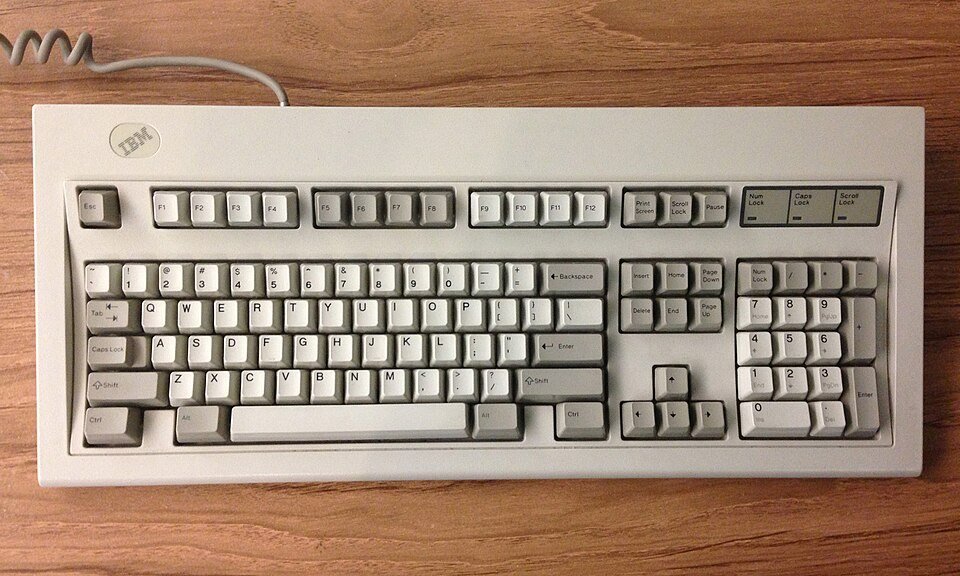
IBM introduced its Personal Computer in 1981 and published enough technical detail for a large compatible hardware and software market to grow around it. In the mid-1980s, IBM introduced its Enhanced Keyboard: 101 keys in the US and commonly 102 elsewhere. It separated the typing area, function keys, navigation controls and numeric keypad into the broad groups still recognisable on full-size PC keyboards.
IBM’s Model M family, introduced in the mid-1980s, became one of the best-known examples of that era. Its buckling-spring feel and the wider Enhanced Keyboard layout became lasting reference points for later PC keyboards.
Portable computers compressed the same ideas
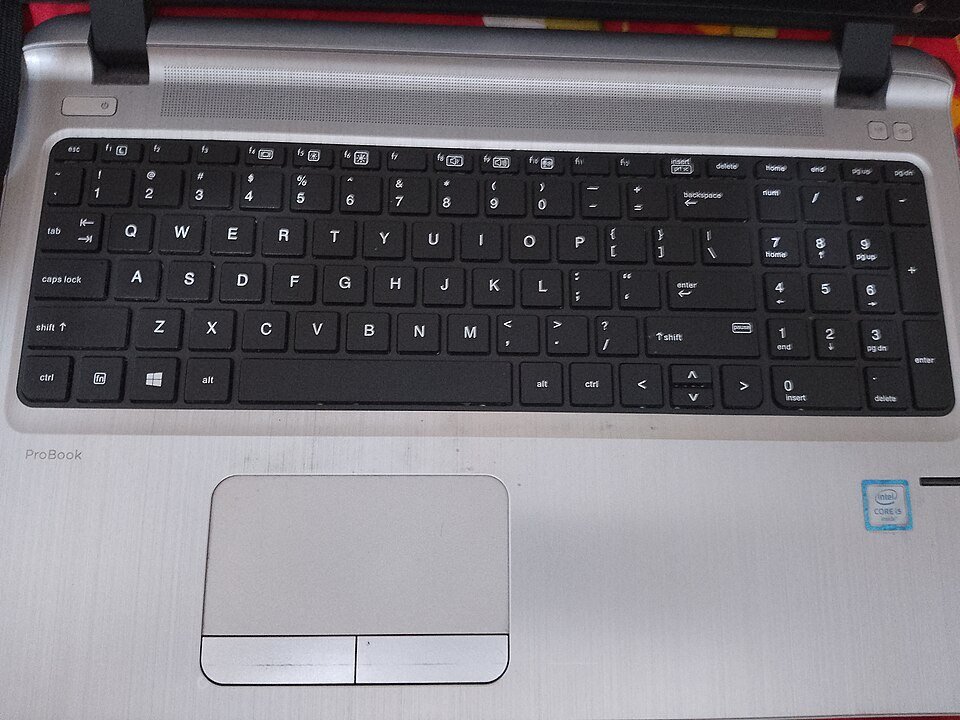
Portable computers created a new problem: keep the important functions of a desktop keyboard while using much less space. Early portable machines could still carry something close to a full-size keyboard, but thinner laptops forced tighter layouts.
Manufacturers combined functions, reduced the space between key groups and used an Fn layer for controls that no longer had room for their own dedicated keys. Separate numeric keypads and navigation clusters became optional rather than inevitable.
That is why modern keyboards can look very different while still sharing the same basic family tree. A full-size desktop board, a tenkeyless board (one without a number pad) and a compact laptop keyboard may rearrange or combine keys, but their main typing area is immediately familiar.
The mechanism underneath changed as well
Typewriters were mechanical machines: pressing a key moved parts that eventually struck paper. Computer keyboards only need to detect a key press and turn it into an electrical signal, which opened the door to many different mechanisms.
Some influential computer keyboards used individual mechanical or capacitive switches. IBM’s Model M used a buckling-spring mechanism. Lower-cost rubber-dome and membrane designs later became common on everyday desktop keyboards, while portable computers favoured thinner mechanisms suited to shallow cases.
Mechanical keyboards have also remained popular with enthusiasts, and newer designs may use optical or magnetic sensing. The technology under each key can change dramatically even when the layout above it still looks descended from a typewriter.
Why keyboards still look familiar
The modern keyboard is a stack of historical decisions. QWERTY came from the typewriter era. Electrical communication made keyboards useful for terminals. Interactive computing added modifiers, function keys and navigation controls. Personal computers helped standardise the broad desktop layout, while laptops and compact keyboards learned how to rearrange it.
That long continuity is useful: most people can sit down at an unfamiliar keyboard and still know where to start. It also explains why a keyboard tester has to account for different physical layouts and sizes rather than pretending every keyboard has exactly the same set of keys.
The hardware keeps evolving, but the basic idea has proved remarkably durable: press a labelled physical key, and use that action to tell a machine what you want it to do.